
Hey there! I’m sure you’ve all been there: you’re scrolling through your Instagram feed, you see a post that you really like, and wondered, “Hmm, when was this posted exactly?” But how do you do that? Well, it’s actually not as simple as it used to be. In this post, I’m going to show you how to find the exact date of an Instagram post.
So, what are some other cool things you can do on Instagram? Well, for starters, you can edit your comments. If you ever make a mistake in a comment, you can go back and edit it. You can also see when you started following someone. Just go to their profile and look at the date under their bio. And finally, you can see who someone recently followed on Instagram.
These are just some of the cool things you can do on Instagram that you might be aware of. However, you might be wondering how to find the exact date of an Instagram post. Don’t worry, I’ve got you covered. In the following sections, I will show you how to do it and why Instagram has made it harder. So, without further ado, let’s dive in and learn how to find the exact date of an Instagram post!
In This Article
Why Does Instagram Show “Weeks Ago” Now Instead of “The Exact Date”?
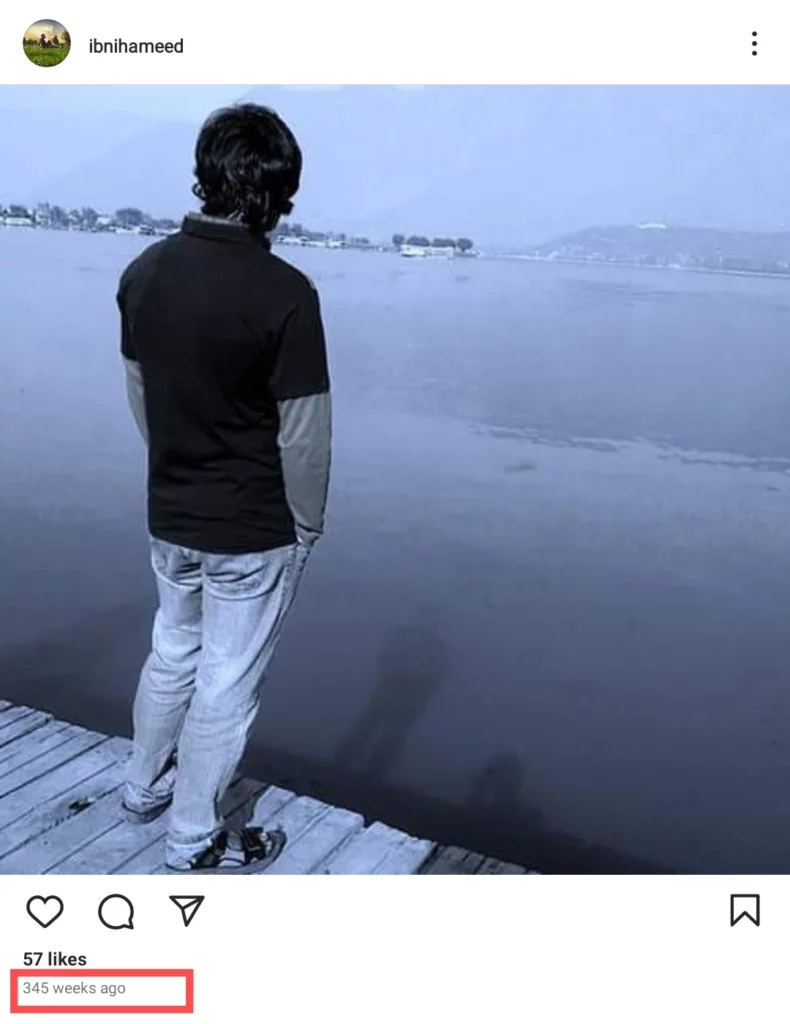
You may have noticed that Instagram has made a change in how it displays the dates of posts. Instead of providing the exact date, it now shows the number of weeks ago the post was made. For instance, a post from two months ago might be labeled as “8 weeks ago” rather than “Oct 6.” But why did Instagram implement this change?
While there is no official explanation from Instagram, some theories have emerged. One possibility is that Instagram aims to create a sense of freshness and relevance for posts. Another reason could be to streamline the user interface and align it with other social media platforms such as Facebook and Twitter, creating a more consistent experience across different platforms.
Regardless of Instagram’s intentions, this shift in displaying dates has prompted users to find alternative methods to uncover the exact date of a post. In the next sections, we’ll explore various techniques and workarounds to help you find the precise posting date on Instagram. So, let’s delve into the strategies and unveil the mysteries behind those “X weeks ago” labels!
How to Find the Exact Date of an Instagram Post?
If you’re eager to uncover the exact date of an Instagram post, this section is tailored just for you. While finding the precise day within the Instagram mobile app can be a daunting task, fear not! You won’t need to resort to installing third-party software or engaging in complex calculations. Here’s how to find the exact date of an Instagram post without any hassle:
Step 01: Open a web browser on your computer.
Step 02: Navigate to the Instagram website.
Step 03: Log in to your Instagram account.
Step 04: Locate the specific post for which you want to discover the date.
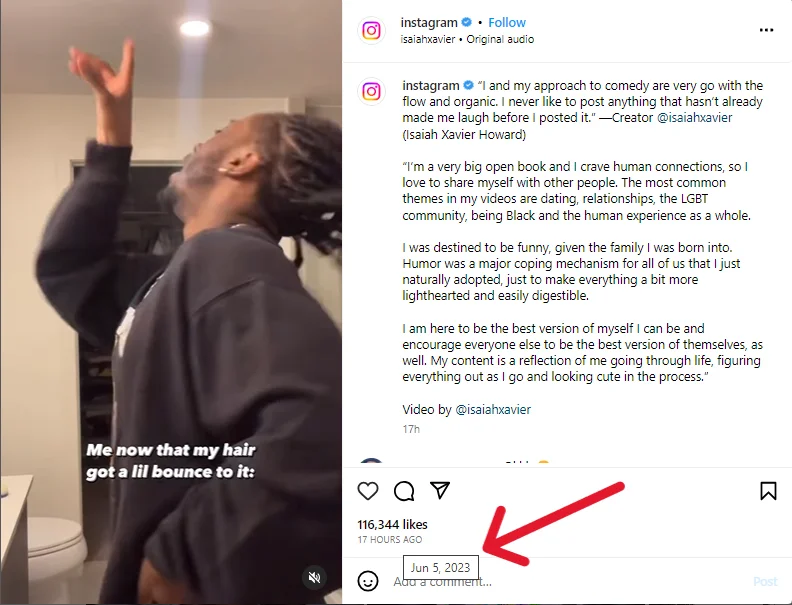
Step 05: If you encounter the post on the Instagram Home page, hover your mouse cursor over the labels such as “8w” or “2d” next to the username of the post’s publisher. This action will unveil the precise date on which it was posted.
Step 06: If you’re on the Instagram Profile page of any user, open the post you wish to investigate, and you’ll find the date displayed at the top, just above the “Add a comment” field. To see the year, hover your mouse cursor over the date like “May 29,” and the complete date will be revealed like “May 29, 2023”.
However, if a post was published a year ago, the full date will already be visible. And if it is posted within the last 7 days, you will see a label like “7 DAYS AGO,” which will be decoded if you hover the mouse cursor over it.
By following these simple steps, you can bypass the limitations of the Instagram mobile app and effortlessly discover the exact date of any Instagram post.
How to Find the Exact Time of an Instagram Post?
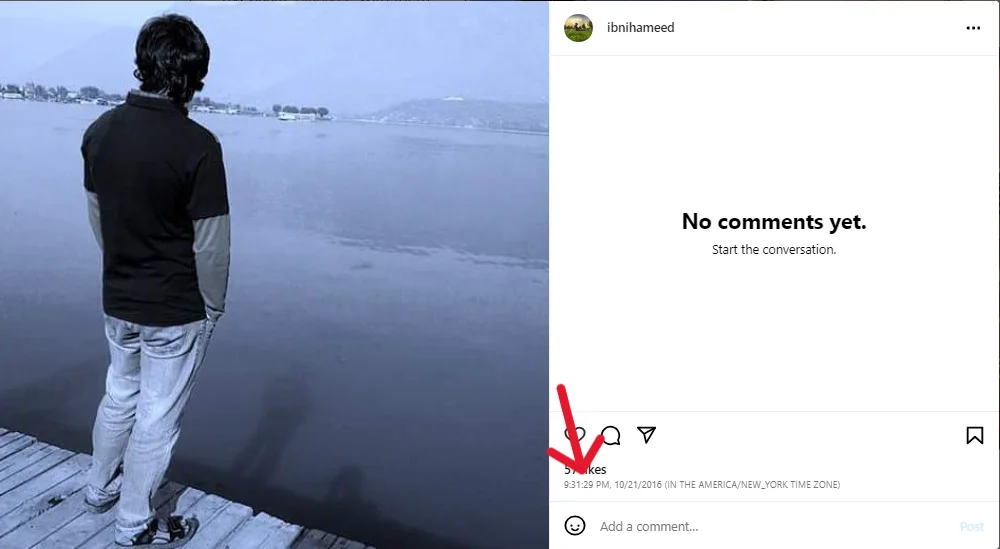
Now that you’ve learned how to find the exact date of an Instagram post, you might be wondering about the time as well. While there are numerous third-party apps and websites claiming to reveal the precise date and time of a post, the most reliable way to uncover the exact time is by using a browser extension.
One particularly useful extension that I personally recommend is called “Exact Time Viewer for Instagram.” This extension is compatible with both Chrome and Firefox browsers. To utilize this extension effectively, follow these simple steps:
Step 01: Install the Exact Time Viewer for an Instagram extension on your preferred browser. You can find it on the Chrome Web Store or the Firefox Add-ons page.
Step 02: Open the Instagram website and log in to your account.
Step 03: Locate the specific post for which you want to see the exact time.
Step 04: Hover your mouse cursor over the date stamp displayed below the post.
Step 05: As you hover, a small label will appear which will reveal the precise time and date of the post.
And there you have it! By following these steps, you can successfully find the exact time of any Instagram post using the convenient browser extension, Exact Time Viewer for Instagram. This method is applicable to any public post on Instagram. Enjoy exploring the world of Instagram with accurate timing information at your fingertips!
Reactions from Instagram Users About Not Getting the Exact Date Within the App
The recent change on Instagram, where it displays the number of weeks instead of the exact date for posts, has garnered mixed reactions from users. Let’s take a look at what some users had to say on Twitter:
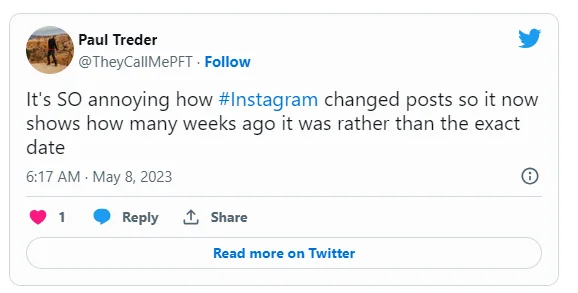
User one expressed their frustration, saying, “It’s SO annoying how #Instagram changed posts so it now shows how many weeks ago it was rather than the exact date.” This sentiment highlights the inconvenience caused by the alteration, as users no longer have immediate access to the specific date of a post.
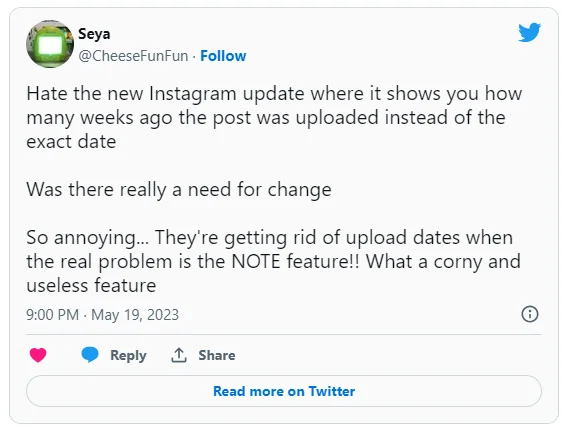
Another user tweeted their dissatisfaction with the update, questioning the need for change: “Hate the new Instagram update where it shows you how many weeks ago the post was uploaded instead of the exact date… Was there really a need for change?” This tweet reflects the confusion and disappointment felt by users who preferred the previous display format.
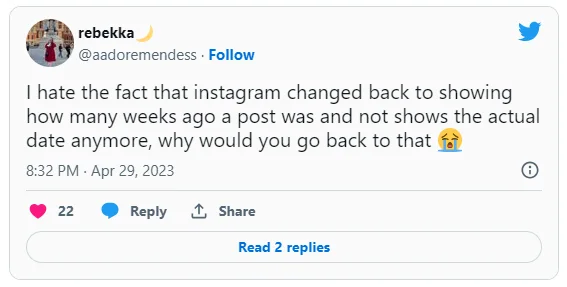
Adding to the chorus of discontent, yet another user expressed their displeasure, lamenting, “I hate the fact that Instagram changed back to showing how many weeks ago a post was and not the actual date anymore. Why would you go back to that? 😭” This tweet captures the emotional response of users who found the change unnecessary and inconvenient.
These user reactions shed light on the frustration experienced by some Instagram users regarding the altered display of post dates. While the change may have been intended to enhance user experience or align with other platforms, it has left some users longing for the simplicity and convenience of knowing the exact date of a post.
Wrapping Up
And there you have it, folks! That’s all you need to know about how to find the exact date of an Instagram post. I hope these tips and tricks have been helpful in satisfying your curiosity. Now you can impress your friends with your Instagram detective skills!
But hey, don’t stop here! If you’re hungry for more Instagram hacks and secrets, make sure to visit Path of EX, regularly. Our team is dedicated to uncovering all the hidden gems and insider tips for mastering the Instagram game. Stay ahead of the curve and level up your Insta game with us!
Frequently Asked Questions
1. Why do I need to find the exact date of an Instagram post?
Finding the exact date of an Instagram post can serve various purposes. Whether you’re running a marketing campaign, dealing with legal matters, or simply keeping track of your personal posts, knowing the precise date is essential.
2. Why does Instagram show weeks instead of dates?
While Instagram has not provided an official answer, some theories suggest that the change in displaying dates is aimed at making posts appear fresher and more relevant, or to streamline the user interface.
3. How can I find the exact time of an Instagram post?
You can use a browser extension like Exact Time Viewer for Instagram that can show you the exact time of any post. You just need to copy the link of the post and paste it into the extension.